
Let’s be honest. Running a retail store is hard enough on its own.
You’re managing inventory, serving customers, training staff, handling vendors, and trying to keep everything running smoothly — all at the same time.
Now add Amazon. Shopify. Magento,Woocommerce, Walmart. eBay etc.
The opportunity is real. Millions of shoppers are spending on these platforms every single day. But for most Retail Pro Prism retailers, the question isn’t whether to sell online. It’s how to do it without creating chaos behind the scenes.
That’s exactly what this playbook is for.
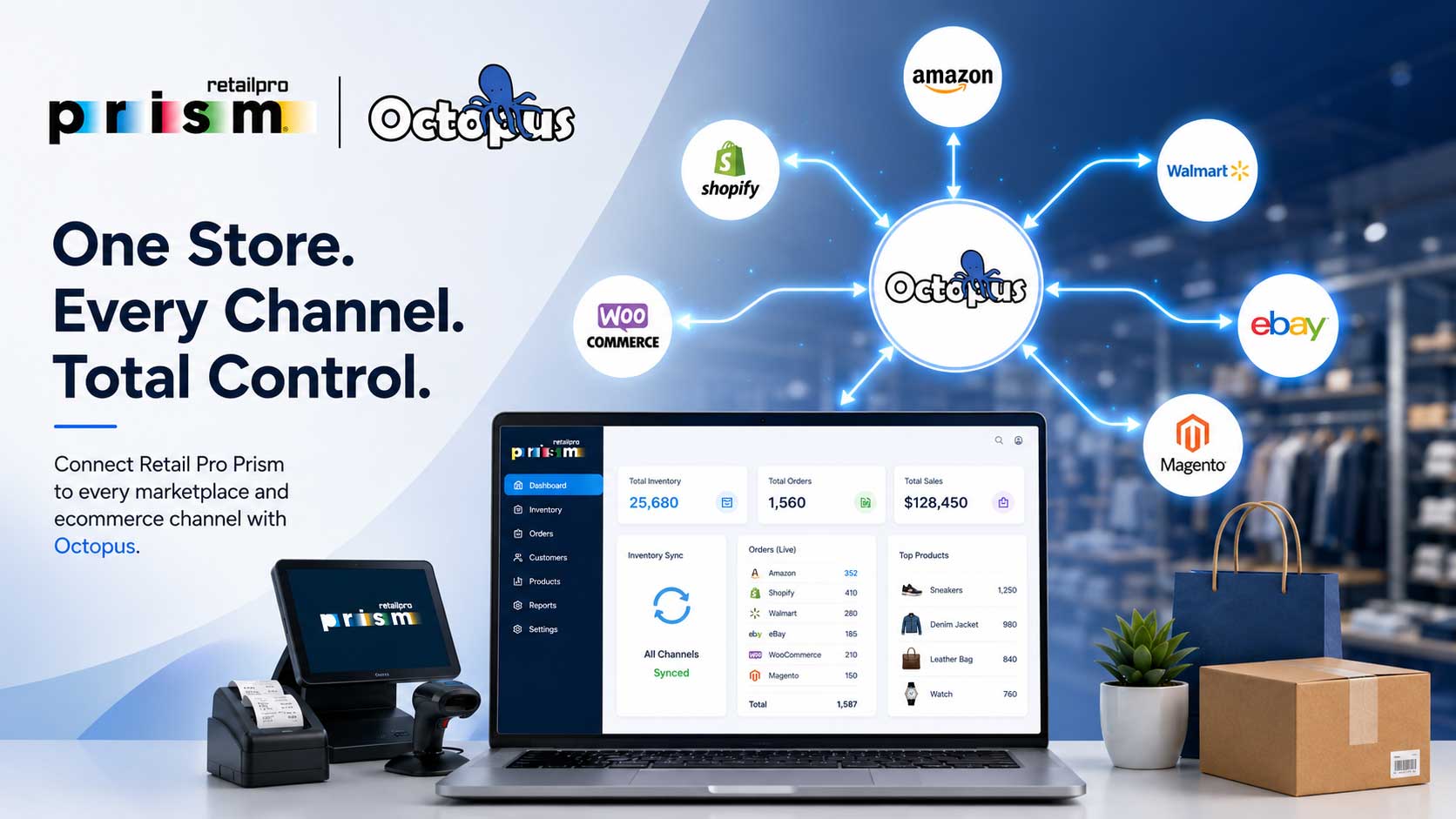
What Omnichannel Actually Means for Retail Pro Prism Retailers
You’ve probably heard “omnichannel” thrown around a lot. But let’s strip away the buzzword and make it simple.
Omnichannel means your customers can find you, buy from you, and interact with your brand — wherever they happen to be.
That could be walking into your store. Browsing your Shopify website at midnight. Ordering on Amazon during their lunch break. Or picking up in-store after buying online.
For Retail Pro Prism retailers, omnichannel doesn’t mean rebuilding your business from scratch. It means extending what you already do well — into the digital spaces where your customers are spending their time and their money.
The good news? You’re already halfway there. Retail Pro Prism gives you the operational foundation most retailers spend years building. The next step is connecting it to the online world.
Why Going Omnichannel Is No Longer Optional
Here’s a reality check.
Over 60% of shoppers research products online before buying in-store. And a growing number of customers who discover a brand in a physical store will look for it online before their next purchase.
If you’re not visible on Amazon, Shopify, or Walmart Marketplace, you’re not just missing online sales. You’re losing customers who found you in-store and went looking for you online — only to find a competitor instead.
Omnichannel isn’t a growth strategy anymore. It’s a survival strategy.
The retailers winning right now are the ones who show up everywhere their customers are — with consistent inventory, consistent pricing, and a consistent experience.
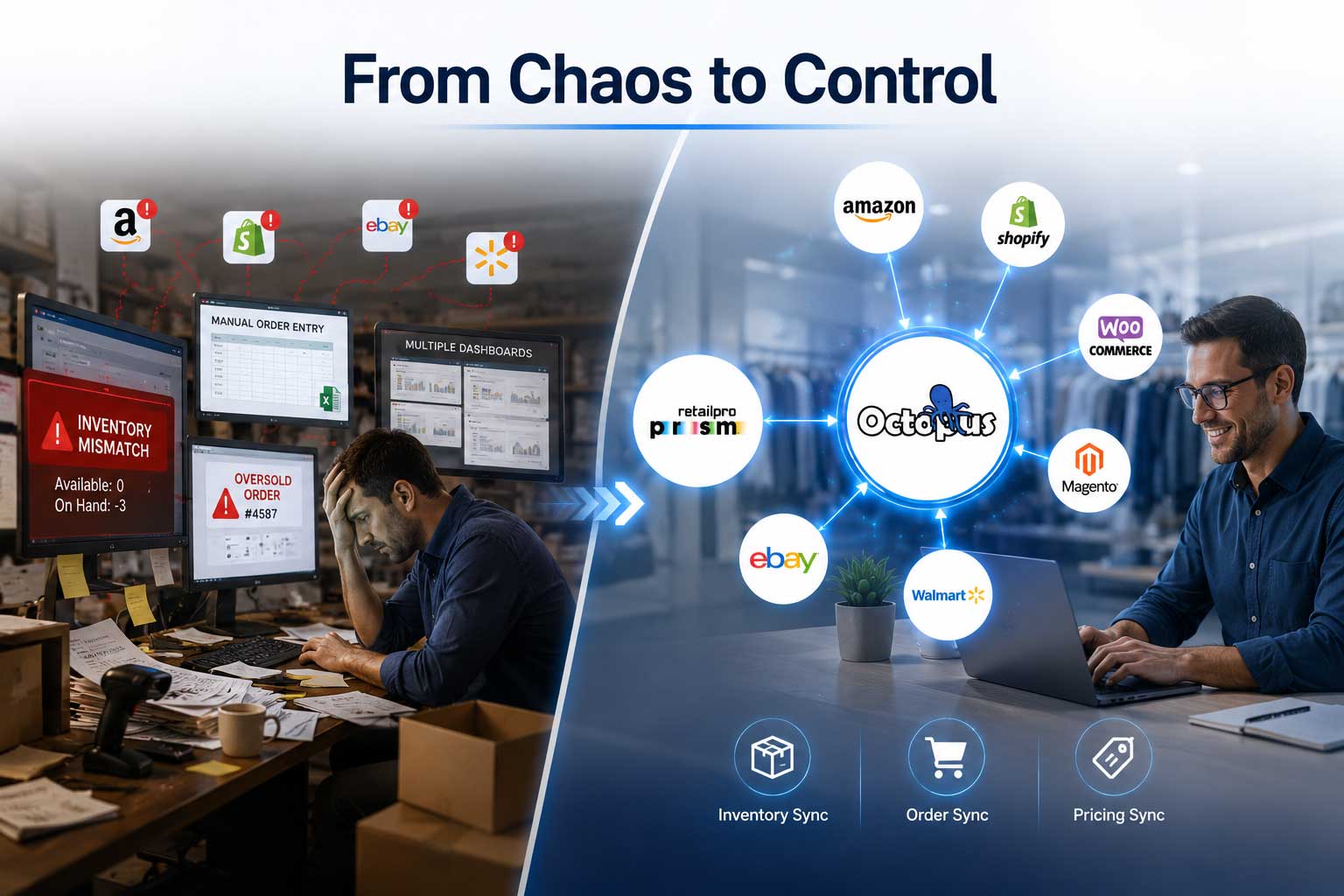
The Biggest Challenges Retail Pro Prism Retailers Face Going Multichannel
Before we get into the playbook, let’s name the real obstacles. Because they’re the same for almost every Retail Pro Prism retailer who’s tried to expand online.
- Inventory Gets Out of Sync
A product sells in your store. But Amazon still shows it as available. A customer orders it online. You have nothing to ship. You cancel the order. Amazon records the cancellation. Your seller metrics take a hit.
This happens constantly when your POS and online channels aren’t connected in real time.
- Orders Have to Be Entered Manually
Without integration, every Amazon or Shopify order has to be manually entered into Retail Pro Prism. That’s time your team doesn’t have — and every manual entry is a chance for an error.
- Pricing Gets Inconsistent
You run a promotion in-store but forget to update Amazon. Or you update pricing in Retail Pro Prism but the change never reaches your Shopify store. Inconsistent pricing frustrates customers and creates fulfillment headaches.
- Multi-Location Complexity
If you run more than one store location through Retail Pro Prism, figuring out which location’s inventory goes to which online channel — and keeping it all accurate — becomes a full-time job without the right system in place.
- No Single View of Your Business
When your store data lives in Retail Pro Prism and your online data lives in five different dashboards, you never have a clear, complete picture of how your business is actually performing.
Sound familiar? These aren’t problems with Retail Pro Prism. They’re problems that happen when a great POS system isn’t connected to the channels it needs to feed.
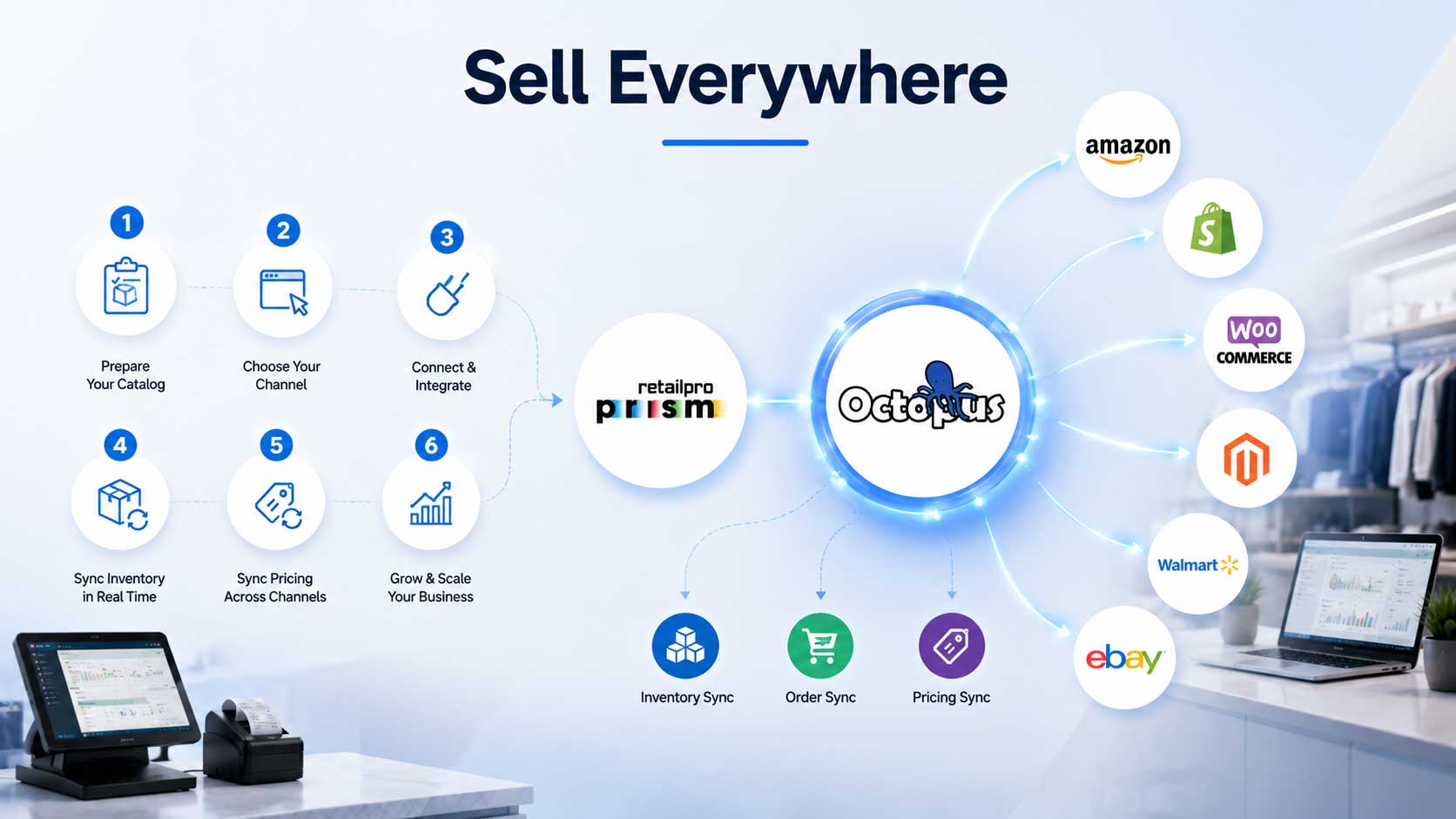
The Omnichannel Playbook: 6 Steps to Selling Everywhere
Here’s how Retail Pro Prism retailers are successfully making the move to omnichannel — without losing control of their operations.
Step 1: Get Your Retail Pro Prism Data in Order
Before you connect anything, make sure your foundation is solid.
- Verify every product has a clean, unique SKU
- Confirm UPCs and barcodes are accurate — Amazon and Walmart require them
- Clean up duplicate product records
- Make sure pricing is consistent and up to date
This step takes a few hours but saves you weeks of troubleshooting later. Clean data in Retail Pro Prism means clean data everywhere.
Step 2: Choose Your First Online Channel Wisely
Don’t try to launch on Amazon, Shopify, Walmart, and eBay all at once. Pick one channel to start, learn the ropes, and expand from there.
Start with Amazon if:
- Your products have broad appeal and existing demand
- You want instant access to millions of shoppers
- You’re selling branded or name-recognized products
Start with Shopify if:
- You have a strong brand identity and loyal customer base
- You want full control over the shopping experience
- You’re building long-term direct-to-consumer relationships
Start with Walmart Marketplace if:
- Your products are competitively priced
- You want an alternative to Amazon with less competition
- You already have strong product listings ready to go
Master one channel first. Then scale.
Step 3: Connect Retail Pro Prism to Your Online Channel
This is the most critical step — and the one most retailers get wrong.
Connecting Retail Pro Prism to an online marketplace isn’t just about getting products listed. It’s about creating a live, two-way data connection so that:
- Inventory updates in Retail Pro Prism flow instantly to your online listings
- Online orders flow automatically back into Retail Pro Prism
- Pricing changes sync across every channel without manual updates
This is exactly what Octopus Bridge does for Retail Pro Prism retailers.
Octopus Bridge is a purpose-built middleware platform that sits between Retail Pro Prism and your online channels — handling the near real-time sync so your team never has to. It was built specifically for the way Retail Pro Prism manages data, which means the connection is accurate, reliable, and doesn’t require constant attention from your staff.
Once Octopus Bridge is live, your in-store and online operations work as one unified system.
Step 4: Set Smart Inventory Rules
One of the most overlooked parts of going omnichannel is deciding how to allocate inventory across channels.
Don’t send your full stock count to every marketplace. Use buffer rules to protect in-store availability:
- Reserve a set number of units for walk-in customers
- Allocate specific quantities to each online channel
- Set low-stock thresholds that automatically pause online listings
Octopus Bridge gives Retail Pro Prism retailers full control over these buffer rules — so your online listings are always honest and your in-store customers are never left empty-handed.
Step 5: Standardize Your Pricing Strategy
Inconsistent pricing across channels is one of the fastest ways to lose customer trust — and get flagged by marketplaces like Amazon.
Before you go live across multiple channels, decide on your pricing approach:
- Consistent pricing — same price everywhere, simplest to manage
- Channel-specific pricing — different prices per channel based on fees and margins
- Promotional pricing — timed discounts that apply across all channels simultaneously
Whatever you choose, Octopus Bridge ensures that when you update pricing in Retail Pro Prism, it pushes to every connected channel automatically. One update. Everywhere. Done.
Step 6: Monitor, Learn, and Expand
Once your first channel is running smoothly, look at your data:
- Which products are selling fastest online?
- Which listings are getting traffic but not converting?
- What’s your fulfillment speed and accuracy?
Use these insights to refine your listings, adjust your inventory allocations, and decide when you’re ready to add the next channel.
Retailers who follow this approach — one channel at a time, with clean data and real-time integration — consistently outperform those who try to launch everywhere at once.
What Retail Pro Prism Retailers Are Achieving With Omnichannel
Retail Pro Prism retailers using Octopus Bridge to power their omnichannel operations are reporting consistent results:
- No more overselling — real-time sync means Amazon and Shopify always reflect what’s actually in stock
- Hours saved every week — automated order flow eliminates manual data entry entirely
- Healthier Amazon metrics — accurate inventory keeps cancellation rates low and seller accounts in good standing
- Faster expansion — adding a second or third channel takes days, not months, once the integration foundation is in place
- One clear view of the business — Retail Pro Prism becomes the single source of truth for the entire retail operation
Your Retail Pro Prism System Is Ready. Are You?
Here’s the thing most retailers don’t realize until they go omnichannel: Retail Pro Prism was already built for this.
The inventory management. The SKU structure. The pricing engine. The multi-location capabilities. Everything Retail Pro Prism does in your store translates directly into what you need to run a successful online operation.
You don’t need a new system. You need the right connection.
Octopus Bridge provides that connection — linking Retail Pro Prism to Amazon, Shopify, WooCommerce, Walmart Marketplace, and eBay so your retail business can show up everywhere your customers are shopping.
The playbook is simple. The technology is ready. The only question is when you want to start.
Ready to Take Your Retail Pro Prism Store Omnichannel?
Book a free demo with the Octopus Bridge team today.
We’ll show you exactly how Retail Pro Prism connects to your target marketplace, walk you through the sync process live, and put together a setup plan built around your specific catalog and locations.
No obligation. No pressure. Just a clear path forward.
Schedule Your Free Demo → www.24sevencommerce.com/retail-pro-prism-ecommerce-integration.html
📧 info@24sevencommerce.com
📞 +1 (800) 955-9425

