A flash sale compresses a week of orders into an hour. That is good for revenue. It is hard on inventory.
Your store, your Shopify site, and any marketplaces you use usually share one pool of stock. Every sale on one channel has to reach the others. When a channel falls behind, it keeps showing units that are already gone. Customers buy them anyway. That is overselling.
Real-time inventory sync closes most of that gap. It sends each stock change to your other channels as it happens, instead of waiting for the next scheduled update. It is not perfect, and the limits matter. But it is the base that good flash sale inventory management is built on.
 Why Overselling Happens During Flash Sales
Overselling is rarely caused by one big mistake. It usually comes from small delays that stack up when order volume spikes.
Here are the most common causes:
- Batch updates. Some systems push stock on a fixed schedule. During a flash sale, even 15 minutes is a long time.
- Manual adjustments. Staff edit counts in one system and forget the other. Or they update both, but late.
- Mismatched products. If a SKU or variant is not linked correctly between systems, its stock never syncs at all.
- Order bursts. Many customers check out within seconds of each other. Even a short delay can let several orders through for the last few units.
None of these are rare. A flash sale just makes them show up all at once.
A Simple Example: 10 Pairs, Two Channels
Say you run a shoe store. You have 10 pairs of a popular sneaker. You sell them in your store and on Shopify. At noon, you start a 40% off flash sale.
With a 30-Minute Scheduled Update
Your system pushes stock to Shopify every 30 minutes.
| Time | What happens | Real stock | Shopify shows |
| 12:00 | Sale starts | 10 | 10 |
| 12:05 | 3 pairs sell in the store | 7 | 10 (wrong) |
| 12:10 | 6 pairs sell online | 1 | 4 (wrong) |
| 12:20 | 4 more pairs sell online | -3 | 0 |
| 12:30 | Scheduled update finally runs | -3 | 0 |
Because Shopify still showed four available pairs, four more customers completed their purchases before the next inventory update. You sold 13 pairs of a shoe you had 10 of. Three customers paid for shoes that do not exist.
Now you cancel orders, issue refunds, and send apology emails. Some of those customers will not come back. Marketplaces may also track your cancellation rate.
With Event-Based Updates
Now the same sale, but each stock change is sent as soon as it happens.
| Time | What happens | Real stock | Shopify shows |
| 12:00 | Sale starts | 10 | 10 |
| 12:05 | 3 pairs sell in the store | 7 | 7 |
| 12:10 | 6 pairs sell online | 1 | 1 |
| 12:20 | 4 customers try to buy; 1 succeeds | 0 | 0 (sold out) |
Shopify stopped selling at the true limit, and nothing had to be cancelled. This assumes each update reached Shopify before the next checkout, and that Shopify was set to stop selling at zero. Sync alone cannot guarantee the last unit never sells twice.
The difference is not the sale. It is how long Shopify spent showing old numbers: up to 30 minutes in the first case, and a short delay in the second.
Scheduled vs Event-Based Inventory Sync
Near real-time inventory sync sends a stock change to your other systems soon after it happens. What matters is what triggering the update.
Scheduled Sync
Scheduled sync runs on the clock. Every 15 minutes, every hour, or once a day, it sends stock levels to your channels. It does not matter whether 1 item sold or 50.
This works fine on a quiet Tuesday. During a flash sale, the gap between updates is where overselling happens.
Event-Based Sync
Event-based sync runs on activity. A sale, a return, or a stock adjustment triggers an update for that item. It does not wait for the next scheduled run.
Integrations detect changes in different ways. Some get a notification from the system as soon as something changes. Others check for changes every minute or two. Both are much faster than an hourly schedule.
| Scheduled sync | Event-based sync | |
| What triggers an update | The clock | A sale or stock change |
| Typical delay | Up to the full interval | Seconds to a few minutes |
| What gets sent | Often the whole catalog | Usually just the changed items |
| Risk during a flash sale | High | Much lower, but not zero |
Why This Matters During a Flash Sale
Overselling needs a window where channels disagree. Event-based sync shrinks that window from up to 30 minutes to seconds or minutes. No integration is instant, though, so treat “near real-time” as “close to real time.”
How POS Inventory Integration Works: Two Flows
For many retailers with physical stores, the POS is the source of truth for stock. It records receiving, transfers, counts, and in-store sales. Some retailers use an ERP or warehouse system instead, so the right source depends on your setup. The flows below assume the POS.
| Step | Flow 1: Store sale → online store | Flow 2: Online order → POS |
| 1 | Physical store sale. A customer buys 2 units at the register. | Online order placed. A customer buys 2 units on Shopify. |
| ↓ | ||
| 2 | POS inventory updated. Stock drops from 10 to 8. | Integration picks up the order. It reads the new order from Shopify. |
| ↓ | ||
| 3 | Integration detects the stock change. | Order created in the POS. Staff can see it for picking and reporting. |
| ↓ | ||
| 4 | Updated quantity sent to Shopify. The integration matches the product by SKU and sends 8. | POS inventory updated. Stock drops from 10 to 8. |
| ↓ | ||
| 5 | Online inventory updated. Shopify now shows 8. | New quantity sent to every other channel. Marketplaces and other online channels now show 8. |
Flow 1 also covers changes that are not sales. Receiving a shipment, a stock count, or a damaged-goods adjustment in the POS should reach the online store the same way.
Flow 2 closes the loop. Without it, the POS never learns about web sales. Your staff could sell the last unit off the shelf after it was already bought online.
Why It Matters More With Every Channel You Add
Each new channel adds another place where stock can be wrong. Picture 10 units shared by your store, Shopify, Amazon, and eBay. A sale on any one has to reach the other three, and each update can lag.
An integration that treats one system, often the POS, as the central record keeps every channel working from the same number.
The Limits of Real-Time Stock Sync
Real-time stock sync reduces overselling. It does not eliminate it. Be wary of any tool or vendor that promises zero.
Simultaneous Purchases
Sync needs a few moments to move data. If the store and the website both show 1 unit, both can sell it before either update arrives. The same can happen on two online channels at once. The faster the sync, the rarer this is, but it can still happen.
API Rate Limits
Integrations talk to Shopify, WooCommerce, and marketplaces through their APIs. Each platform limits how many requests an app can send in a set period. During a flash sale, many changes happen at once. Updates can queue up behind these limits and arrive later than usual.
Failed Syncs and Retries
Sometimes an update fails. A connection drops, a platform is slow, or a product cannot be matched. A well-built integration retries failed updates and records errors so someone can review them. Ask your provider how retries work and where you will see errors. A quiet failure on a best-seller can do more harm than a slow sync.
Sync Only Knows What Systems Record
A unit that is damaged, misplaced, or pulled for a display is still “in stock” until someone adjusts it in the POS. Sync moves numbers accurately. It cannot fix numbers that were wrong to begin with.
Four Safeguards That Make Sync Work Better
Sync speed is only part of the picture. These four settings decide how well your inventory holds up when orders spike.
Checkout Inventory Reservation
Adding an item to the cart does not reserve it on most platforms. What happens next depends on the platform.
Shopify separates stock into states. Available is what customers can buy. Committed is stock tied to orders that are placed but not yet fulfilled. When an order is placed, units move from Available to Committed. They stay on hand until fulfilled, but they can no longer be sold. Checkout behavior can also vary with your plan, apps, and settings, so test it before a big sale.
WooCommerce has a “Hold stock” setting. It holds stock for eligible unpaid orders in Pending payment status for the number of minutes you set. If payment does not arrive in time, the order is cancelled and the stock is released.
On any platform, make sure selling past zero is turned off for sale items, unless you truly want backorders. In Shopify, this is the “Continue selling when out of stock” option.
Product and Variant Mapping
Sync only works for products that are correctly linked. Each POS item must match the right online product, and each size or color must match the right variant.
If a SKU is different in each system, or a variant is linked to the wrong item, updates go to the wrong place or nowhere. One broken mapping on your best-seller can undo all the benefits of fast sync.
Multiple Inventory Locations
If you have several stores or a warehouse, decide which locations feed online stock. Including a location that cannot ship leads to orders you cannot fill. Leaving out one that can ship hides stock you could sell.
Your online quantity should match the stock you can actually fulfill. If your eCommerce platform tracks locations too, confirm how each POS location maps to it.
Safety Stock
Safety stock is a small buffer you hold back from online channels. If you have 10 units and set a buffer of 2, the website shows 8. Those 2 units absorb the short gaps sync cannot close.
During a flash sale, a buffer on your most popular items is cheap insurance. Check whether your platform or integration supports a buffer before you rely on one.
Flash Sale Inventory Management: A Pre-Launch Checklist
Most overselling problems can be caught before the sale starts. Work through this list a few days ahead.
- Count your sale items. Do a physical count of every product in the sale. Fix the numbers in the POS first.
- Check product mapping. Confirm every sale SKU and variant is linked between POS and each online channel.
- Run a test sale. Sell one unit in the store and one online. Time how long each change takes to show up on the other side.
- Turn off backorders for sale items, unless you plan to accept them.
- Set safety stock on your fastest sellers, if your setup supports it.
- Confirm locations. Make sure only fulfillable stock is published online.
- Freeze big catalog changes. Avoid bulk product edits or imports during the sale. They compete for the same sync capacity.
- Know your error alerts. Find out where sync errors appear and who will watch them during the sale.
- Plan for oversells. Have a short customer message and a refund or substitute policy ready. If it happens, a fast and honest reply limits the damage.
How POS and eCommerce Integration Helps
Everything above depends on one thing: your POS and your online channels exchanging data automatically and reliably. That is the job of a POS and eCommerce integration.
Octopus Bridge is one such integration. It connects supported POS systems, including Lightspeed Retail, Retail Pro, Counterpoint POS, and others, with eCommerce platforms such as Shopify, WooCommerce, Magento, Wix, and BigCommerce.
Here is how its core functions map to the problems covered in this article:
| What Octopus Bridge does | What it means for a retailer |
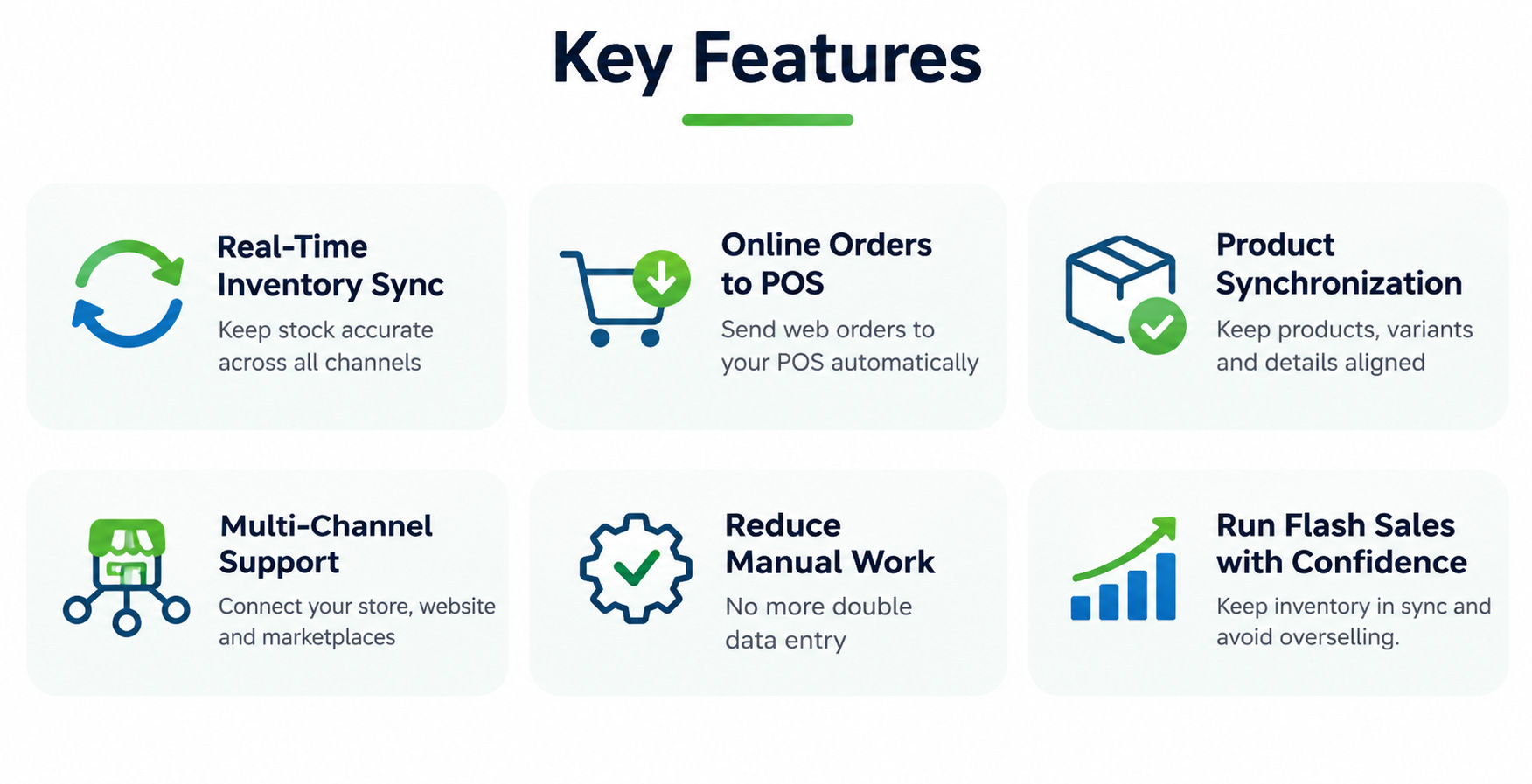
| Syncs inventory from the POS to connected online stores | Store sales, receiving, and adjustments reach your website without anyone re-keying counts. |
| Sends online orders back to the POS | Web sales reduce POS stock, and staff see orders in one place for fulfillment and reporting. |
| Keeps product information aligned | Product data stays consistent across systems, which supports accurate mapping. |
| Automates data exchange between systems | Manual exports, imports, and spreadsheet updates drop out of the daily routine. |
The practical result is less manual work and more consistent stock across your connected channels.
Like any integration, Octopus Bridge works within the limits covered earlier. Sync timing and available options can vary by POS, eCommerce platform, and configuration, so confirm what applies to your setup. Product mapping and safety stock still matter. It lowers the risk of overselling, but no integration can promise zero.
Frequently Asked Questions
No. It shortens the time channels disagree, but simultaneous purchases and API limits can still cause an occasional oversell. Safety stock and correct mapping cover most of that gap.
Event-based integrations typically update within seconds to a few minutes. Your POS, eCommerce platform, and order volume all affect speed.
Often the POS, especially if you have physical stores. Some retailers use an ERP or warehouse system instead. What matters is that every channel follows one source.
There is no single right number. Start small on your fastest sellers, then adjust based on how often you oversell.
Usually a mapping problem: the SKU or variant does not match between systems. Review mapping before any big sale.
Planning Your Next Flash Sale? Get Your Inventory Ready.
A flash sale tests every weak spot in your inventory process. Slow updates, manual counts, and broken product links all show up at once, in front of your customers.
Connecting your POS and eCommerce systems fixes that foundation, so your team can spend the sale serving customers instead of correcting numbers.
If you sell through Lightspeed Retail, Retail Pro, Counterpoint, or another supported POS alongside Shopify, WooCommerce, Magento, or BigCommerce, explore Octopus Bridge or contact the 24Seven Commerce team. We can walk through your current setup and what to prepare before your next sale.